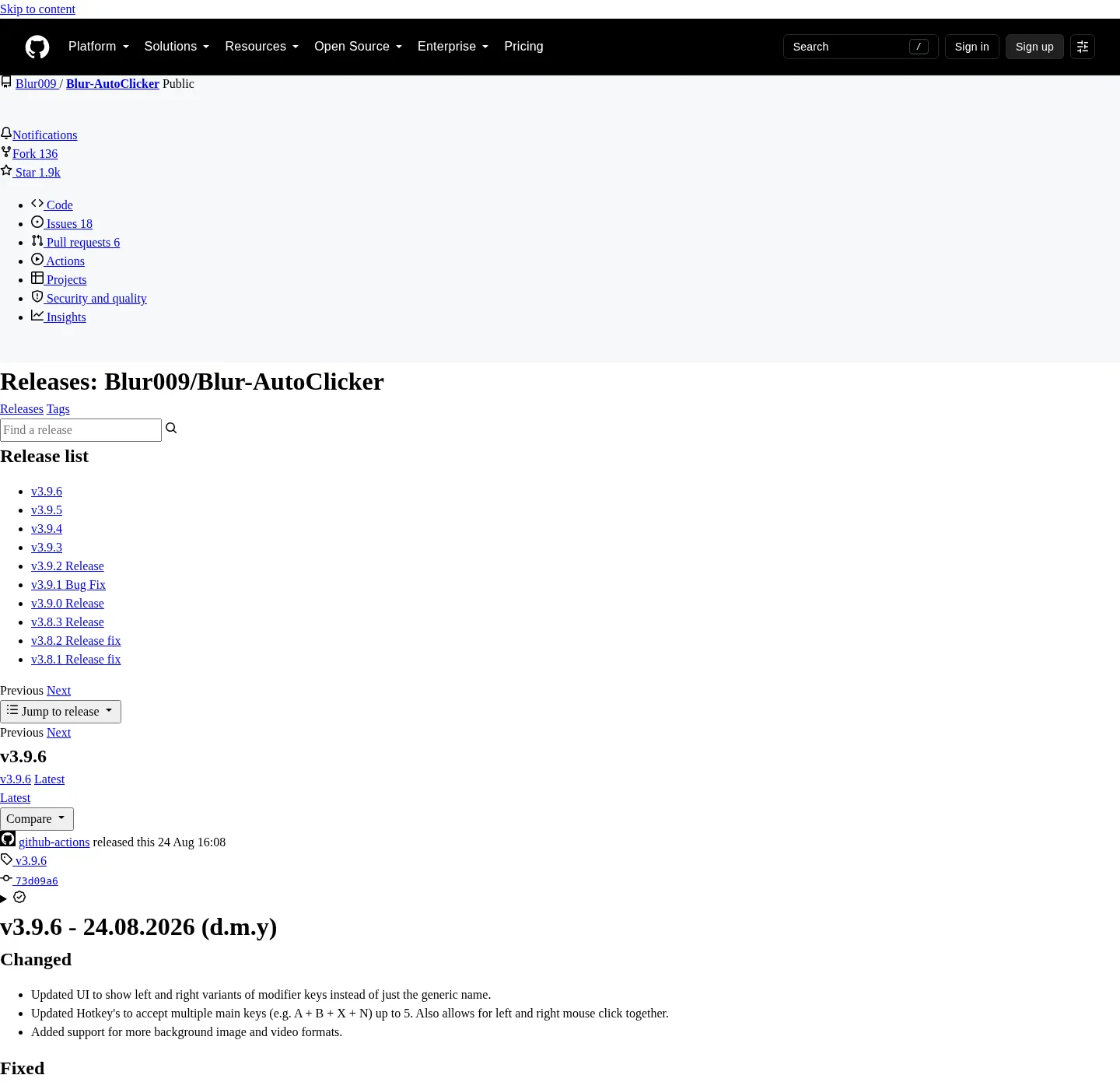
Releases are the file host, and the exe stays on GitHub, and the repo is Blur009/Blur-AutoClicker, and the list is GitHub Releases. The current tag is injected on the stamp, and do not type a version from a blog. Safer fetch rules sit on download-safe notes.
Which file is the installer
On a normal Windows PC, take the NSIS setup whose name matches BlurAutoClicker_*_x64-setup.exe. Winget installs that same setup; Default location after setup is %LocalAppData%\BlurAutoClicker, with the launched file BlurAutoClicker.exe in that folder. Config and stats go to %AppData%\BlurAutoClicker; Windows walkthrough: Windows install notes.
The architecture on the current GitHub release set is x64, and there is no ARM installer listed on that tag. Treat the x64 setup as the default Windows file, and if your PC is ARM and you cannot run x64, stop and read official docs instead of grabbing a random port.
Which file is portable
Take BlurAutoClicker-v*-portable.zip when you want a folder you unpack; Portable mode, documented in release notes and BUILDING.md, uses a portable.txt file next to the exe with the exact content BlurAutoClicker Portable Mode. Settings then live in a Data/ folder beside the exe; Portable has no in-app auto-update, so the next zip comes from the same Releases page. Chooser: portable or setup.
| Asset | What it is | Take it? |
|---|---|---|
BlurAutoClicker_*_x64-setup.exe | Windows x64 NSIS setup | Yes, default install |
BlurAutoClicker-v*-portable.zip | Portable folder | Yes, if you unpack |
*.sig | Tauri updater signature | No, not an app |
latest.json | Updater metadata | No, not an app |
How winget maps to the same files
The README command pulls the package Microsoft already tracks:
winget install -e --id Blur009.BlurAutoClicker --source winget --silentmicrosoft/winget-pkgs lists PackageIdentifier Blur009.BlurAutoClicker, installer type nullsoft, user scope, and the GitHub setup URL. That is the same product as the Releases exe; Winget notes: winget guide, and machine setup: for this computer.
SmartScreen on the setup
The installer is not Authenticode-signed; Windows may show Windows protected your PC, and the project trust doc at windows-release-trust.md says Tauri updater signatures are not Authenticode. A SmartScreen warning is unsigned reputation, not a virus verdict by itself, and fetch still has to come from GitHub or winget. Safety: is it safe.
Old tags and extra copies
Configs from version 2 do not open in version 3, and the README says to delete the old executable first. If a Desktop copy of an older setup is still running, stop it, then install from the current tag. Moving off extra copies: extra exe notes; Home command: auto clicker home; Guides hub: guides. GitHub map: GitHub notes.
What to ignore on the asset list
Checksums, blockmaps, and yaml files, if a tag ever grows them, are noise the same way .sig and latest.json are noise today. You want a setup exe or a portable zip whose name matches the patterns above. If a search result wants a helper from Softonic or CNET, stop, and files stay on GitHub.
Why the pattern matters more than a blog number
These notes never pin a version in public copy. The stamp injects the current GitHub tag, and the setup name still has to match BlurAutoClicker_*_x64-setup.exe on that tag. Portable still has to match BlurAutoClicker-v*-portable.zip. Winget-pkgs installer yaml for this id points at the GitHub setup URL with user scope and nullsoft type, which is why the README command and the browser file are the same product. If an asset list is noisy, skip signatures, skip latest.json, and skip anything that is not those two patterns. Architecture on the mapped tag is x64, so do not wait for an ARM installer these notes never listed. Build from source is BUILDING.md for x86_64-pc-windows-msvc, which is a compile path, not a Releases click.
After you take one file, do not also run a second copy from Downloads. Two installs fight over the hotkey. Portable has no in-app auto-update, so the next zip comes from GitHub again. Setup and winget can use the project updater. Config for setup lives in AppData. Config for portable lives in Data after portable.txt. Older version 2 configs are deleted on first launch of version 3; delete the old executable first. Safe fetch rules and SmartScreen notes live on the download-safe URL, and Windows paths live on the Windows URL.
How a tag is named
GitHub tags on this repo use a v prefix plus semver, and the stamp injects the current tag from GitHub. Public copy never pins a number, because the next tag would make the sentence a lie. Open the current tag and look at the asset list, not a screenshot saved last month. If a mirror still advertises an older setup, treat that as stale, and the official list is always GitHub Releases.
Release notes on a tag also mention portable mode and, when relevant, the v2 to v3 config break. Read those notes on the tag you are about to take, and do not skip them because the setup looks familiar. A familiar filename can still be a different major version.
Updater sidecars in more detail
Tauri ships an updater, and the project stores signatures next to the installer so that later in-app updates can be checked. Those files have a .sig suffix; latest.json is the small JSON the updater reads to learn which tag is current. Neither file launches, and if you double-click them, Windows will ask what to open them with, or nothing will happen. They are not the auto clicker; Take the setup or the zip, then let the updater, if you use a setup install, fetch later tags on its own.
Portable installs skip that updater, and if you unpacked the zip, you come back to this Releases page for the next zip. That is the documented trade: no background update, one folder you control, and the chooser page is portable or setup.
Checksums and wrappers
If a future tag grows sha256 files or a blockmap, treat them as extra, not as the product. You still want the setup exe or the portable zip, and a site that wraps the GitHub file behind a countdown is not GitHub. Leave it, and the same rule applies to a search result that offers a helper named after the product. Fetch from the repo or from winget, and contact for product bugs stays on GitHub issues, not on a comment form here. Issues: Blur-AutoClicker issues.
Frequently asked questions
Which auto clicker file should I download?
The Windows x64 setup exe matching BlurAutoClicker_*_x64-setup.exe, unless you specifically want the portable zip. Skip updater sidecars.
Can I run latest.json?
No, and it is updater metadata for Tauri, not a program, and same for .sig files.
Does winget use a different build?
No, and the manifest points at the GitHub setup, and use one path, not both at once, so two copies do not fight a hotkey.