People type both names when they want a hotkey that repeats clicks so a hand can rest. Auto clicker vs GS Auto Clicker is not a star rating and not a reprint of a vendor homepage. It is a map: a GPL-3.0 Windows program from GitHub versus freeware listed on SourceForge. Official GS listing: sourceforge.net/projects/gsautoclicker, and fan mirrors exist, and a random mirror that only reuses the name is not the vendor. Blur files: GitHub Releases, and repo: Blur009/Blur-AutoClicker; Install notes: auto clicker install, and fetch: auto clicker download safe.
Shape table, not a scoreboard
Read the table as shape, and there is no rank, and file size for GS is left off on purpose. Third-party mirrors quote megabyte numbers that go stale, and these notes do not invent a cap. Blur RAM in the README is around 100mb and under 200mb because of WebView2. That is memory on your machine, not a promise about exe kilobytes on a given day.
| Topic | Blur Auto Clicker | GS Auto Clicker |
|---|---|---|
| Where clicks run | Foreground window on your Windows PC | Windows desktop clicker. Mirrors also list other platforms. Original desktop was Windows |
| License | GNU GPL-3.0 | Freeware listing. Not this GPL project |
| Public source | Yes, github.com/Blur009/Blur-AutoClicker | No public OSS repo as the product model |
| File host these notes map | GitHub Releases | SourceForge project files |
| Install command | winget install -e --id Blur009.BlurAutoClicker --source winget --silent | No winget id in these notes. Use the SourceForge project if you still want GS |
| Account | None | None typical for the freeware build |
| Keyboard key repeat | Yes. Simple mode: keyboard key pressing with case control | Hotkey clicker. Check the build you fetched. These notes do not invent a GS keyboard mode |
| Interval | CPS, plus per second, minute, hour, or day | Intervals on the SourceForge product notes |
| Fixed points | Position clicking in advanced mode | Optional recorded positions |
| Portable versus setup | x64 setup exe and portable zip on the same tag | Whatever the SourceForge listing ships that day |
| Code signing | Not Authenticode-signed. SmartScreen may warn | Check the file you fetch. These notes do not invent a GS signature story |
| Config location | %AppData%\BlurAutoClicker after setup | Whatever that GS build stores. There is no documented importer into Blur |
| Paid tier | None in the README | Advertised as freeware on SourceForge |
| Updater sidecars | Ignore *.sig and latest.json | Not GitHub Tauri sidecars |
Fourteen rows, still not a winner, and if you typed GS because you already want that freeware catalog, use SourceForge. If you want the GitHub Windows build these notes document, stay on this path. Switch steps without a fake importer: switch from GS.
Blur Auto Clicker, the install these notes document
Windows; GPL-3.0; Paste this into Windows Terminal or PowerShell:
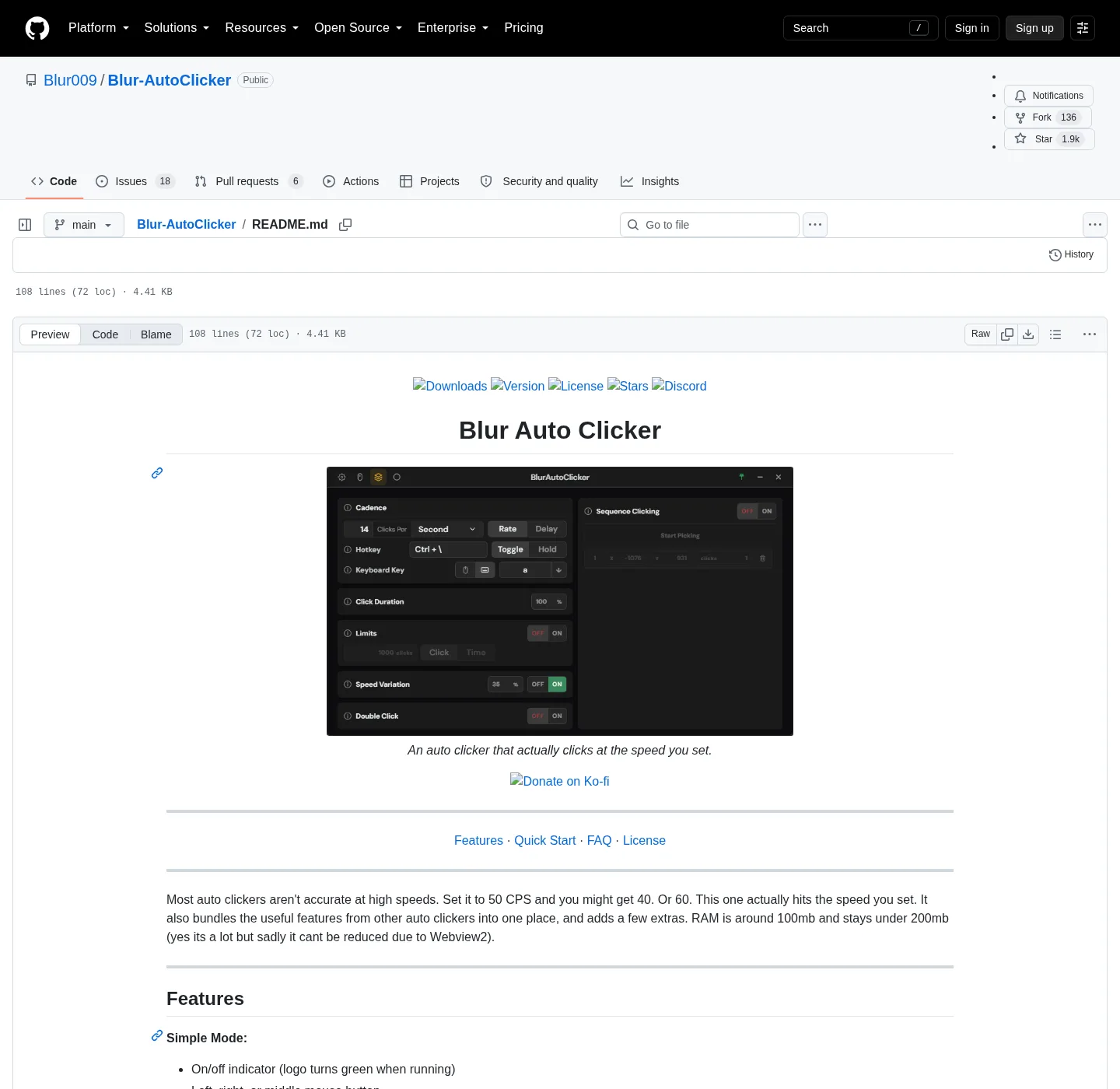
winget install -e --id Blur009.BlurAutoClicker --source winget --silentIf winget is missing, install App Installer from Microsoft, then paste the command again. Setup is BlurAutoClicker_*_x64-setup.exe; Portable is BlurAutoClicker-v*-portable.zip; Pick one; Ignore updater files, and simple mode, from the README: left, right, or middle mouse; keyboard key pressing with case control; hold or toggle; customizable hotkeys. Advanced mode adds duty cycle, random CPS, edge stop, click and time limits, double clicks, and position clicking. The logo turns green when a run is live.
Keyboard work is a real mode in that same app, and if the job is a key, not a mouse button, open keyboard auto clicker. This comparison stays on the map between two click tools.
GS Auto Clicker, said from SourceForge
GS Auto Clicker is advertised as freeware on SourceForge, and research notes a hotkey clicker, intervals, and optional recorded positions. Original Goldensoft hosting is discontinued, and fan mirrors exist, and treat SourceForge as the project listing, not a random domain that wraps the name.
These notes skip reprinting a GS screenshot, a GS chrome layout, or a megabyte number for their installer. Those change on their side, and these notes do not list a keyboard mode they did not list. If you need key pressing with case control, that is a Blur Auto Clicker simple-mode control. It is documented on the keyboard notes, and it is not a GS control claimed here.
How to choose without a scoreboard
Want source you can read, a winget id, and a GitHub release list with a setup exe and a portable zip? Install Blur Auto Clicker, and want the freeware name you already searched, with recorded positions on that catalog? Use the SourceForge project, and you can keep both bookmarks, and auto clicker vs GS Auto Clicker does not demand that you delete the other.
Fetch is part of the map; GitHub Releases and winget are the Blur paths. SourceForge is the GS listing, and a search result that wraps either name on Softonic or CNET is still the wrong file host. Random CPS, edge stop, and position clicking sit in Blur Auto Clicker advanced mode. GS, on the listing these notes use, talks interval, hotkey, and optional recorded positions. Those are different knobs; Pick the set you will actually use.
TinyTask is a recorder, not this vs; AutoHotkey is a language; MurGee is a trial then a paid unlock. Those comparisons sit on vs TinyTask, vs AutoHotkey, and vs MurGee.
Local Windows, two publishers
Privacy on this comparison is location plus source, and both Windows programs click on the PC in front of you. That is the honest overlap, and a website clicker in a browser is a different shape. The row that still matters is who published the bits and whether you can read them. Blur Auto Clicker is GPL-3.0, and the LICENSE is in the repo; GS Auto Clicker is freeware on SourceForge. These notes do not pretend that license is GPL.
Accounts are the second honest row; Blur Auto Clicker does not ask you to create a login to click. Winget talks to Windows Package Manager; GitHub Releases is a file list; GS extra apps that mirrors list for Mac or Android stay on those mirrors. This comparison is the Windows clicker job.
Unsigned is a fourth honest note; Blur Auto Clicker is not code signed; Windows SmartScreen may appear. That screen is Windows saying the file has no Authenticode signature, and it is not a virus claim. Check what the GS file you fetch actually shows the day you download it.
Keep the fetch separate
Blur Auto Clicker is not on SourceForge as this project's host; GS Auto Clicker is not an exe these notes document from GitHub. If a search result offers a GS setup from a helper site, treat it as the wrong place until you prove otherwise on SourceForge. If a search result offers Blur Auto Clicker inside a pack that adds a toolbar, skip it.
There is no settings importer from GS into Blur, and export nothing, and re-enter interval, button, and hotkey. Delete extra GS copies from Desktop and Downloads after the new install is working. That move is on move extra exes and switch from GS; Guides hub: guides. Home: auto clicker; GitHub notes: auto clicker GitHub.
Frequently asked questions
Is this comparison a copy of the GS catalog?
No. Official GS Auto Clicker files are listed on SourceForge, and these notes wrote a comparison. They point at Blur Auto Clicker, and original Goldensoft hosting is discontinued, and honest split: GitHub Windows program versus that freeware listing.
What is the winget command for this auto clicker?
The command is winget install -e --id Blur009.BlurAutoClicker --source winget --silent, and paste it into PowerShell or Windows Terminal. That installs Blur Auto Clicker, and it does not install GS Auto Clicker.