Setup exe versus portable zip
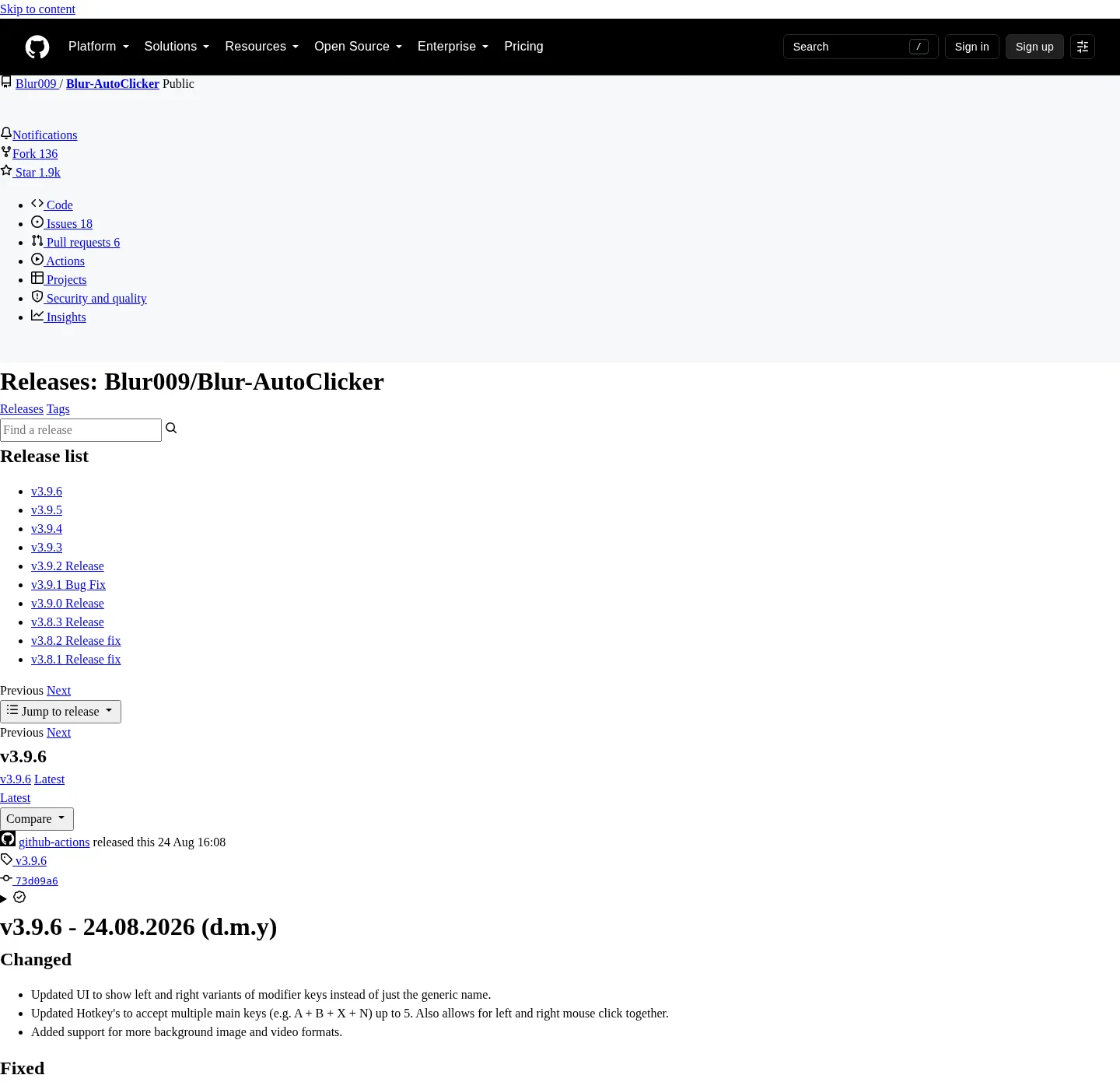
Blur Auto Clicker ships two Windows payloads on GitHub Releases: a Nullsoft x64 setup exe and a portable zip. Names follow BlurAutoClicker_<version>_x64-setup.exe and BlurAutoClicker-v<version>-portable.zip. Public copy still says the current release; the filename carries a tag that the site injects elsewhere.
Winget does not install the zip. It wraps the setup for id Blur009.BlurAutoClicker:
winget install -e --id Blur009.BlurAutoClicker --source winget --silentRelated: install on Windows, winget auto clicker, auto clicker releases, and auto clicker for this computer.
Which GitHub assets to ignore
Every current tag also publishes noise for the Tauri updater: *.sig and latest.json. Those files are not a second auto clicker. Do not open them, do not rename them to exe, and do not treat a signature file as proof of Authenticode. Authenticode is separate; the Windows installer is not code-signed. Trust notes: windows-release-trust.md and is this auto clicker safe.
Safe-download framing: download an auto clicker safely. Repo tree: open source auto clicker on GitHub. Product home: autoclicker.blur009.com.
When the setup exe is the right file
Choose the x64 setup when you want Windows to place BlurAutoClicker.exe in %LocalAppData%\BlurAutoClicker and you are fine with Settings > Apps for removal. Winget-pkgs records user scope, Nullsoft type, and that default folder. The README install location is %localappdata%/BlurAutoClicker/BlurAutoClicker.exe. Config and stats go in %AppData%\BlurAutoClicker.
Setup fits a single PC you use daily. It is the file winget already downloads. After install, WebView2 must be present or the window will not draw. RAM stays around 100mb and under 200mb per the README.
If you still have v2.1.2 or below, delete that old executable first. The installer will not. Old configs will not work with v3+ and are deleted on first launch.
When the portable zip is the right file
Choose the portable zip when you want a folder you can park on a disk, copy, and run without the NSIS setup. The zip is on the same official tag. Extract it, then run the exe from that folder. Keep the folder together; do not scatter the exe onto Desktop next to leftover clickers from other vendors.
BUILDING.md, for people who compile, says the project’s portable zip contains the exe plus VC++ runtime DLLs, crashpad handler, and WebView2 bootstrapper, and a portable.txt marker. That source-built zip keeps app data in a Data/ folder next to the exe, and it does not use in-app auto-update; you download a new zip from GitHub Releases. Point at BUILDING.md for compile details rather than inventing extra packager flags. Daily users still download the already-built zip from Releases.
The project is made for Windows.
Where config lives for each shape
| Shape | How you get it | App bits | Config | Update style |
|---|---|---|---|---|
| Setup exe | GitHub *_x64-setup.exe | %LocalAppData%\BlurAutoClicker | %AppData%\BlurAutoClicker | New setup or winget |
| Winget | id Blur009.BlurAutoClicker | Same LocalAppData folder | Same AppData folder | Same setup channel |
| Portable zip | GitHub *-portable.zip | Folder you extract | See zip and BUILDING.md portable notes | New zip from Releases |
Updater .sig | On the tag | Do not run | Not an install | Tauri updater only |
latest.json | On the tag | Do not run | Not an install | Tauri updater only |
| ARM setup | Not listed on the current tag | n/a | n/a | Do not invent a file |
| License | GPL-3.0 | Same for both runtimes | Local, no account | Free |
Cleanup of extra Desktop exes: move leftover clicker exes. Switching from GS freeware: switch from GS Auto Clicker.
Install from winget instead
If you opened Releases only to hunt a setup exe, winget already does that fetch. App Installer on Windows 10 1809+ or Windows 11 provides the client. Exact id, source winget, silent flag: see the CopyRow above. Windows overview: open source auto clicker on Windows. Home: auto clicker.
SmartScreen may still warn. Microsoft documents unsigned files under SmartScreen. The warning is not a virus label.
After you pick a file
Launch the exe. Set interval, button or keyboard key, and a hotkey. Hold versus toggle is in auto clicker hotkeys. Units per second through per day: auto clicker interval. Fixed point: position clicking. Keyboard key: keyboard auto clicker. Compile your own bits: build from source. Guide hub: guides. Editorial: about. License: GPL-3.0 LICENSE.
WebView2, RAM, and first launch after you pick a file
The desktop window uses WebView2. The README puts RAM around 100mb and under 200mb because of that runtime. If the process starts and no window appears, install Microsoft Edge WebView2 Runtime, then launch the exe again. That is a missing runtime, not a bad zip.
Set interval, button or keyboard key, and a hotkey before you send clicks to the foreground window. Hold versus toggle is a first-run choice. The logo turns green while the auto clicker runs. CPS cap in the README is about 500. A 1000 CPS setting exists and is not recommended.
Unsigned setup files can trigger SmartScreen. Microsoft documents Windows protected your PC as an unsigned-file warning. Repo: windows-release-trust.md. License remains GPL-3.0 for both the setup and the portable zip. Product home: autoclicker.blur009.com. Keyboard path: keyboard auto clicker.
Install steps:
- Open Blur009/Blur-AutoClicker releases, not a mirror that wraps the name.
- Take the x64 setup exe for an installed copy, or the portable zip for a movable folder.
- Do not run
.sigorlatest.json; those files are Tauri updater metadata. - If you wanted the setup anyway, run the official winget command for
Blur009.BlurAutoClicker.
Frequently asked questions
Should I use the portable zip or the setup exe?
Use the x64 setup exe, or winget, when you want a Start-menu install in LocalAppData. Use the portable zip when you want a folder you can move. Both sit on GitHub Releases. Ignore .sig and latest.json.
What files on GitHub Releases should I ignore?
Skip *.sig and latest.json. Those are Tauri updater signature and metadata files, not an extra auto clicker. The files to run are BlurAutoClicker_*_x64-setup.exe and BlurAutoClicker-v*-portable.zip.
Does winget install the portable auto clicker?
No. Winget wraps the Nullsoft x64 setup for id Blur009.BlurAutoClicker. Portable is a zip on the same GitHub tag. Command: winget auto clicker. Setup path: install on Windows.
Is there an ARM auto clicker installer?
The current GitHub release set lists an x64 setup exe. No ARM installer is listed on that tag. Check Releases before you assume a second architecture file exists. Product is made for Windows.
Where does portable config live?
The installed app stores config and stats in %AppData%\BlurAutoClicker. BUILDING.md describes a source-built portable zip that keeps data in a Data folder next to the exe. Download portable from GitHub Releases, not from a random mirror.