When to build versus install
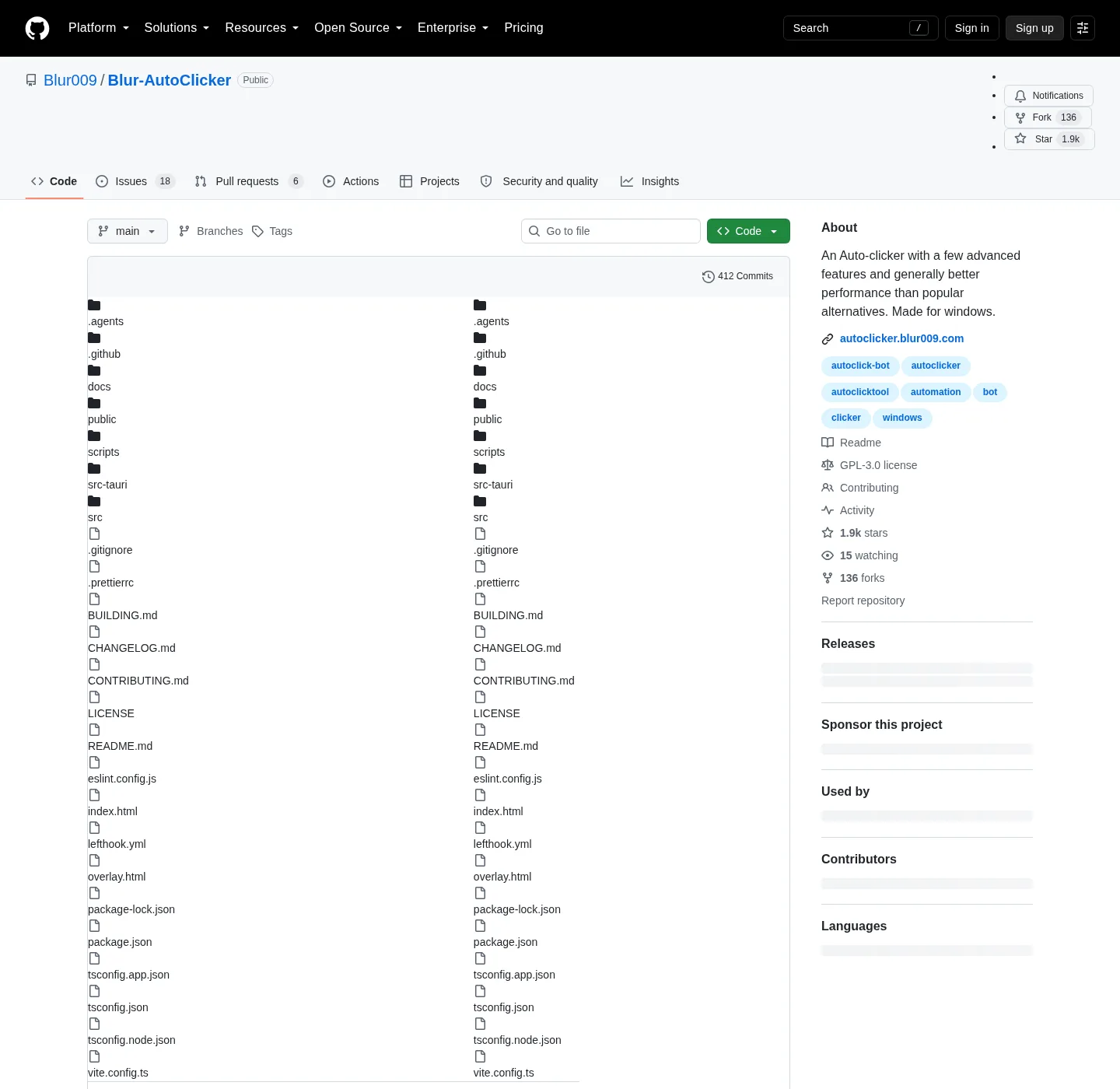
Blur Auto Clicker is GPL-3.0. The README FAQ asks if you can build from source and answers yes, with a pointer at BUILDING.md for setup, build, and validation commands. That file is the command list. Follow BUILDING.md instead of a copied recipe.
Most people who want an auto clicker on Windows should install the current release. The README winget command is:
winget install -e --id Blur009.BlurAutoClicker --source winget --silentRelated: install on Windows, winget auto clicker, open source auto clicker on GitHub, guides, auto clicker.
Compile when you want to read the code, change it, or produce your own installer bits. Running the product does not require a local compile. GitHub Releases already ships an x64 Nullsoft setup and a portable zip. Ignore .sig and latest.json on that tag; those are updater files, not something you run.
Official source of truth
The repo is Blur009/Blur-AutoClicker. README: project README. Build file: BUILDING.md. Pull request notes: CONTRIBUTING.md. License: GPL-3.0. Releases: GitHub Releases. Homepage: autoclicker.blur009.com.
The README does not paste the compile recipe into the install section. It tells you to open BUILDING.md. If a third-party page lists extra commands, treat BUILDING.md as the check. These notes name the file and the Windows-first target. It does not copy a command list that the README left in BUILDING.md.
Chris Titus Tech winutil maps blurautoclicker to the same winget id. That is a community list pointing at the package, not a second build cookbook.
What Windows-first means
The project is made for Windows. BUILDING.md is the Windows desktop build path. The maintained target is x86_64-pc-windows-msvc. The current GitHub release lists an x64 setup exe. No ARM installer is listed on that tag. The official homepage states Windows only. The README does not list Mac or Linux install commands.
If you are on ARM hardware, read the repo and Releases before you assume a second architecture file exists. An unofficial AI-made macOS port has appeared as a GitHub issue. That port is not an official install path. Do not treat it as a supported compile target here.
WebView2 is the desktop runtime. The README puts RAM around 100mb and under 200mb because of that runtime. A source-built exe still expects that Windows runtime on the machine that runs it. Missing WebView2 is a runtime gap, not a failed compile by itself.
NSIS bundle and install path
Project docs describe an NSIS Windows installer. The built installer is written to src-tauri/target/release/bundle/nsis/. After a normal setup or winget install, the exe is %LocalAppData%\BlurAutoClicker\BlurAutoClicker.exe. Config and stats for the installed app go in %AppData%\BlurAutoClicker.
Winget wraps that Nullsoft x64 setup for id Blur009.BlurAutoClicker, user scope. Silent install for this auto clicker is the README winget command with --silent. Project README, BUILDING.md, and the trust doc do not document a raw setup silent switch as the public install path.
Setup filename pattern is BlurAutoClicker_*_x64-setup.exe. Portable pattern is BlurAutoClicker-v*-portable.zip. Say the current release in public copy; the filename carries a tag that the site injects elsewhere. Asset notes: auto clicker releases and portable or setup.
Portable Data folder from a source build
BUILDING.md describes a source-built portable zip that keeps settings, statistics, diagnostics, and WebView2 user data in a Data/ folder next to the exe. There is no in-app auto-update for that portable shape. Download a new zip from GitHub Releases when you want a newer portable copy.
Installed winget or setup copies follow the channel you used. Portable from source is a folder you manage. Keep the exe and Data/ together. Chooser: portable zip or setup. This computer: auto clicker for this computer.
Older configs from version 2 do not open in version 3 and are deleted on first launch of the new app. Delete an old leftover exe first if the README still warns that the installer will not. Cleanup: move leftover clicker exes.
What compiling does not add
| Goal | Path |
|---|---|
| Run the auto clicker today | Winget or GitHub x64 setup |
| Read or change the source | GitHub repo plus BUILDING.md |
| Setup, build, validation commands | BUILDING.md only |
| NSIS installer output | src-tauri/target/release/bundle/nsis/ |
| Portable data next to the exe | Data/ folder, per BUILDING.md |
| In-app auto-update on that portable zip | Not present; use GitHub Releases |
| ARM installer from this path | Not listed; x86_64-pc-windows-msvc |
| Extra compile recipe here | Follow BUILDING.md instead |
A compile does not add a GS or TinyTask importer. It does not add delay-between-points as a README feature. It does not add a Mac install. Position clicking, hotkeys, and interval units stay as the README lists them: position clicking, auto clicker hotkeys, auto clicker interval.
Simple mode still covers left, right, or middle, keyboard key with case control, hold or toggle, and customizable hotkeys. Advanced mode still adds duty cycle, random CPS, edge stopping, limits, double clicks, position clicking, and per second through per day. README CPS cap is about 500. A 1000 CPS setting exists and is not recommended.
Trust, license, and unsigned binaries
License is GPL-3.0. Building from source is the license right the README already names. A binary you compile is still an auto clicker that sends clicks to the foreground window. This is not a game-cheat walkthrough.
The project installer is not Authenticode-signed. SmartScreen may show Windows protected your PC on an unsigned NSIS file. Microsoft documents that prompt: Microsoft Defender SmartScreen. Repo trust: windows-release-trust.md. Updater signatures on .sig and latest.json are separate from Authenticode. Safe download: download safely and is this auto clicker safe. About: about. Windows cluster: open source auto clicker on Windows.
No account. Config stays on the PC. Nothing in the README claims telemetry. Keep one official Blur copy. GS freeware is a different product: vs GS Auto Clicker and switch from GS Auto Clicker. Recorders and scripts: vs TinyTask, vs AutoHotkey, vs MurGee. Keyboard-only: keyboard auto clicker.
Install the release unless you need a compile
App Installer on Windows 10 1809 or later, or Windows 11, provides winget. If you only wanted to click, stop here and run the official command. If you wanted to compile, open BUILDING.md on the repo and follow that file on a Windows machine that matches the documented target.
Build steps:
- Most people should install the current Windows release instead of compiling.
- Use BUILDING.md on Blur009/Blur-AutoClicker for setup, build, and validation commands.
- The project is Windows-first; use the documented x86_64-pc-windows-msvc desktop path.
- Run the official winget command, or take the x64 setup from GitHub Releases.
Frequently asked questions
Can I build this auto clicker from source?
Yes. The README FAQ says to see BUILDING.md for setup, build, and validation commands. Contributing notes sit in CONTRIBUTING.md. Most people can skip a compile and use winget instead.
Do I need to compile this auto clicker to use it?
No. Install the current release with winget install -e --id Blur009.BlurAutoClicker --source winget --silent or the x64 setup from GitHub Releases. Build from source only if you want to compile your own bits. Guide: install on Windows.
Where are the build commands for this auto clicker?
They live in BUILDING.md. The README does not duplicate that list. Follow that file on Blur009/Blur-AutoClicker. Do not treat a random blog as the command source.
Does a source-built portable zip auto-update?
BUILDING.md describes portable mode that keeps app data in a Data folder next to the exe. There is no in-app auto-update for that shape. Download a new zip from GitHub Releases. Portable vs setup: portable or setup.
What Windows target does this auto clicker use?
The project is Windows-first. The maintained desktop path uses the x86_64-pc-windows-msvc target. The current GitHub release lists an x64 setup exe. No ARM installer is listed on that tag. Check Releases before you assume a second architecture file.