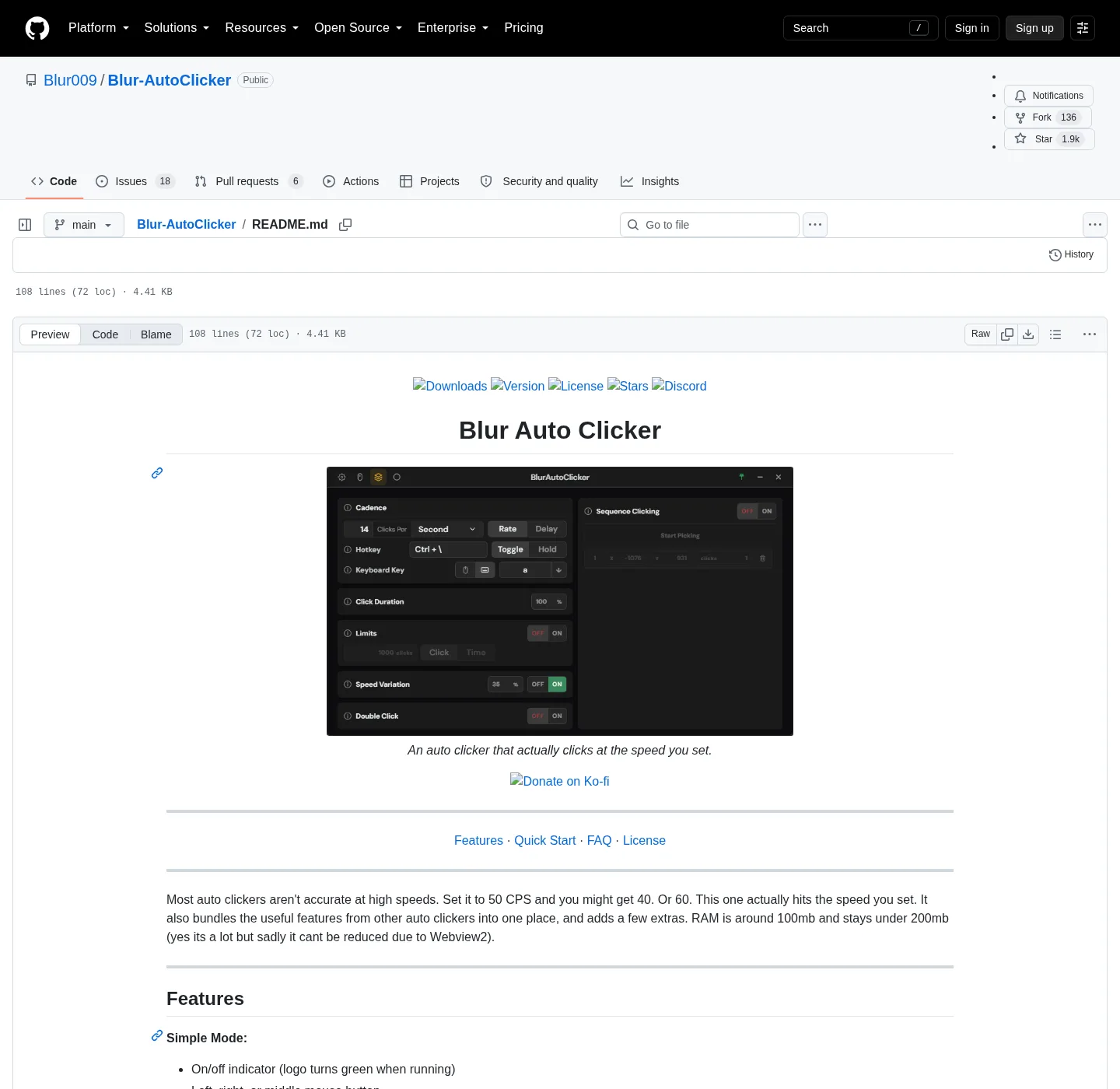
This is Blur Auto Clicker on Windows under GPL-3.0. Official files live on GitHub Releases, and the repo is Blur009/Blur-AutoClicker. People who typed auto clicker pc want the same Windows install: the file runs on the PC in front of you. Safe fetch: auto clicker download safe; Repo layout: auto clicker GitHub, and machine chooser: setup for this computer.
How to get it on Windows
Open PowerShell or Windows Terminal on the PC that will send the clicks. Paste the README command. That is how most people get the product, and the id is Blur009.BlurAutoClicker, and the source flag is winget. Do not swap in a lookalike id from a forum post.
winget install -e --id Blur009.BlurAutoClicker --source winget --silentWinget ships with App Installer on Windows 10 version 1809 or later and on Windows 11. If the command is missing, install App Installer from Microsoft, reopen the terminal, and paste the same line. Longer command notes sit on the winget guide and the Windows install guide.
Setup exe, portable zip, and disk paths
The other path is GitHub Releases; Open the current release, and setup is BlurAutoClicker_*_x64-setup.exe. Portable is BlurAutoClicker-v*-portable.zip; Ignore *.sig and latest.json, and the architecture on the current GitHub release set is x64. There is no ARM installer listed on that tag, and which file: auto clicker releases. Chooser: portable or setup.
| Item | Path or rule |
|---|---|
| Installed exe | %LocalAppData%\BlurAutoClicker\BlurAutoClicker.exe |
| Default install folder | %LocalAppData%\BlurAutoClicker |
| Config and stats | %AppData%\BlurAutoClicker |
| Winget package id | Blur009.BlurAutoClicker |
| Runtime | WebView2. README RAM around 100mb, under 200mb |
| Signing | Not Authenticode-signed. SmartScreen may warn |
| Account | None |
| License | GPL-3.0 |
Portable mode, documented in release notes and BUILDING.md, means a portable.txt file next to the exe with the exact content BlurAutoClicker Portable Mode. Settings, statistics, diagnostics, and WebView2 user data then live in a Data/ folder beside the exe. Portable has no in-app auto-update.
What happens after install
Open the app, and simple mode has left, right, or middle mouse, keyboard key pressing with case control, hold or toggle, and customizable hotkeys. Advanced mode adds duty cycle, random CPS, edge stop, click and time limits, double clicks, and position clicking. Interval can be per second, minute, hour, or day, and the logo turns green when a run is live. Keyboard steps: keyboard auto clicker, and hotkeys: auto clicker hotkeys.
The installer is unsigned, so Windows SmartScreen may appear, and unsigned is honest, not a virus claim. Trust notes sit on auto clicker download safe and in windows-release-trust.md, and if a process starts and no window appears, install Microsoft Edge WebView2, then launch again.
Old builds and extra exes
Older configs from version 2 do not open in version 3, and the README says to delete the old executable first. The installer will not do that, and old configs are deleted on first launch of version 3. If a Desktop copy from years ago is still sitting next to the new install, remove it before you chase duplicate hotkeys. Moving extra copies is on move extra exes.
Uninstall the winget or setup copy from Windows Settings, Apps, then delete remaining config in %AppData%\BlurAutoClicker if you want a clean slate. Winget uninstall uses the same package id.
Windows only on this machine
This project is made for Windows, and there is no second installer mapped here for another OS. Docker is not the path, and brew, snap, flatpak, and apt are not in the official README. An unofficial macOS port in a GitHub issue is not an official unofficial URL. Start from home for the short version; Guides hub: guides; GS comparison: auto clicker vs GS Auto Clicker.
Frequently asked questions
What is the winget command for auto clicker install?
The command is winget install -e --id Blur009.BlurAutoClicker --source winget --silent, and paste it into PowerShell or Windows Terminal. If winget is missing, install App Installer from Microsoft, then paste the command again.
Where does the auto clicker install on disk?
Setup and winget land in %LocalAppData%\BlurAutoClicker, with the exe at BlurAutoClicker.exe in that folder. Config and stats go to %AppData%\BlurAutoClicker; Portable keeps its data next to the exe after you add portable.txt.